Réaliser l’effet RVB.
-
<p style="margin:0px 0px 0px 0px;"><span style="font-size:14px;"><em><u><strong>Bien le bonjour à vous tous !</strong></u></em></span></p>
<p style="margin:0px 0px 0px 0px;"> </p>
<p style="margin:0px 0px 0px 0px;">Aujourd’hui je vous présente le tutoriel pour la réalisation de l’effet RVB, c’est l'effet donné de regarder un film 3D sans lunette 3D.</p>
<p style="margin:0px 0px 0px 0px;">Commençons vite !</p>
<p style="margin:0px 0px 0px 0px;">Tout d’abord, il vous faudra Photoshop, je vous conseille du CS5 / CS6 / CC.</p>
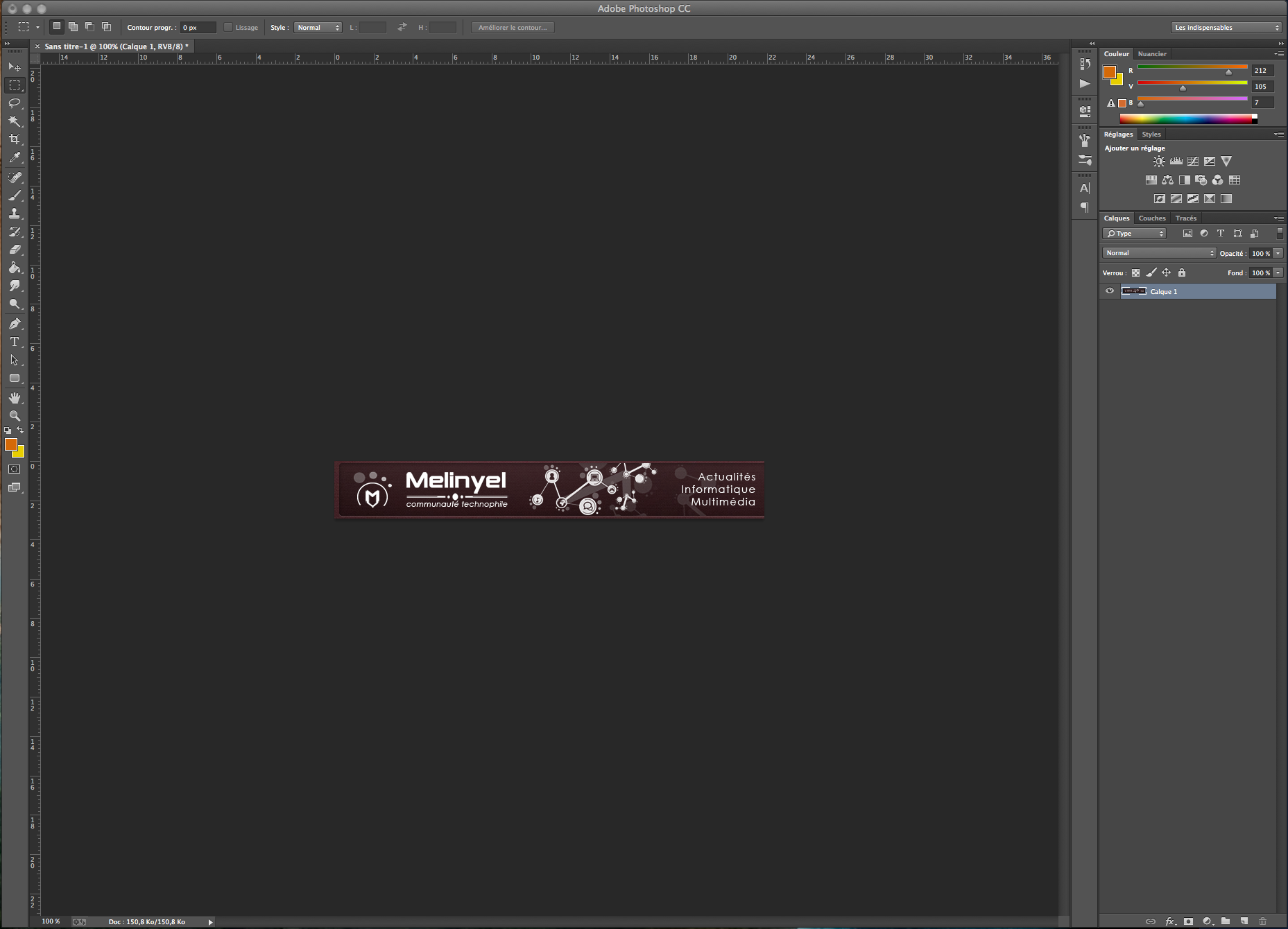
<p style="margin:0px 0px 0px 0px;">Ouvrez l’image que vous désirez !</p>
<p style="margin:0px 0px 0px 0px;">Je prends la bannière Melinyel personnellement ! </p>
<p><img alt="6be993cb5c66ea84282740528d3148ed.png" src="https://i.gyazo.com/6be993cb5c66ea84282740528d3148ed.png"/></p>
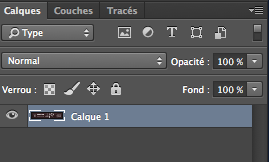
<p></p><p style="margin:0px 0px 0px 0px;">Maintenant, dupliqué votre calque.</p>
<p style="margin:0px 0px 0px 0px;">Pour sa : allez sur la barre de calque :</p>
<p><img alt="67570d1ee24ffb50b57e703265cd792b.png" src="https://i.gyazo.com/67570d1ee24ffb50b57e703265cd792b.png"/></p>
<p> </p>
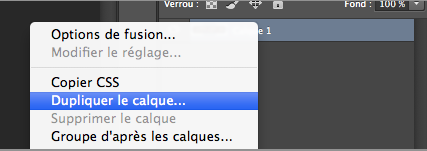
<p>Puis sélectionnait le calque comme sur l’image et faite dessus clique droit, dupliquez le calque.</p>
<p><img alt="3a8e87cd8f402989d156e4a324f11fde.png" src="https://i.gyazo.com/3a8e87cd8f402989d156e4a324f11fde.png"/></p>
<p> </p>
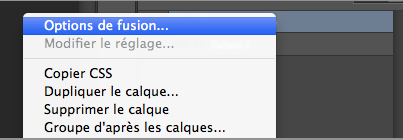
<p style="margin:0px 0px 0px 0px;">Puis sélectionner la copie de votre image, faite clique droit et option de fusion.</p>
<p><img alt="9c54471f48a40aa5277d05943ef963cb.png" src="https://i.gyazo.com/9c54471f48a40aa5277d05943ef963cb.png"/></p>
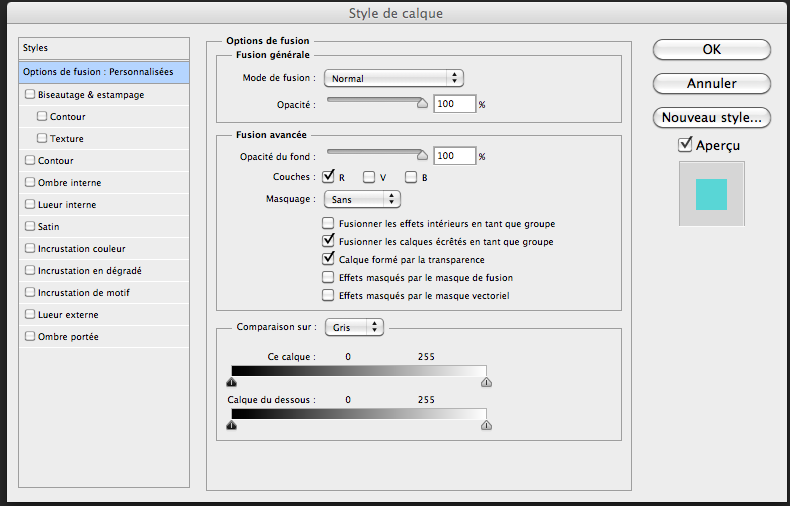
<p></p><p style="margin:0px 0px 0px 0px;">Vous arrivez sur l’accueil de l’option de fusion.</p>
<p style="margin:0px 0px 0px 0px;">Décoché le V et le B, puis faite OK.</p>
<p><img alt="9818bfb378fddac1e3f63f01817b8fd3.png" src="https://i.gyazo.com/9818bfb378fddac1e3f63f01817b8fd3.png"/></p>
<p></p><p style="margin:0px 0px 0px 0px;">Maintenant faite contrôle T ( Windows) et commande T ( Mac) pour pouvoir déplacer le calque ! </p>
<p style="margin:0px 0px 0px 0px;">Je vous conseille un coup en haut, puis un à droite ou d’autre côtés à vous de voir !</p>
<p style="margin:0px 0px 0px 0px;">Vous voilà avec votre effet RVB fait !</p>
<p style="margin:0px 0px 0px 0px;"> </p>
<p style="margin:0px 0px 0px 0px;"><em><u>Résultat :</u></em></p>
<p><img alt="f6757906d650f8242ffdcc3995ef5cb5.png" src="https://i.gyazo.com/f6757906d650f8242ffdcc3995ef5cb5.png"/></p>
<p></p><p style="margin:0px 0px 0px 0px;">J’espère que ce tutoriel vous aura plu ! </p>
<p style="margin:0px 0px 0px 0px;"> </p>
<p style="margin:0px 0px 0px 0px;"><em><u>Cordialement</u></em>, <strong>Egzylium</strong>.</p>


 </p>
</p>
 <br/>
<br/>



Hello! It looks like you're interested in this conversation, but you don't have an account yet.
Getting fed up of having to scroll through the same posts each visit? When you register for an account, you'll always come back to exactly where you were before, and choose to be notified of new replies (either via email, or push notification). You'll also be able to save bookmarks and upvote posts to show your appreciation to other community members.
With your input, this post could be even better 💗
Register Login